
Our content is for education only and is not personal financial advice. Some links may earn us a commission at no cost to you, which never affects our recommendations.
Key takeaways
- Understand the benefits of online banking.
- Know the documents required for account opening.
- Learn how to compare different bank accounts.
- Follow the step-by-step application process.
In today’s digital age, opening a bank account online has become a popular and convenient option for many people. Whether you’re looking to set up a checking account, a savings account, or both, the process is straightforward and can typically be done from the comfort of your own home. This guide will walk you through each step, helping you understand what to expect and how to choose the best account for your needs.
Opening a bank account online can save you time and allow you to avoid long lines at the bank. Additionally, many online banks offer competitive interest rates and lower fees than traditional banks. However, it’s essential to be informed about the process and the various options available to you, ensuring that you make the best choice for your financial situation.
This guide will provide you with all the necessary information to open a bank account online, including tips on choosing the right bank, what documents you will need, and how to complete the application process. Let’s dive in!
Understanding Online Banking
Online banking refers to the use of the internet to conduct financial transactions, manage accounts, and access banking services. It allows customers to perform various banking activities from their computers or mobile devices without needing to visit a physical bank branch. Here are some key features of online banking:
- Convenience: You can access your accounts and perform transactions 24/7 from anywhere with an internet connection.
- Lower Fees: Many online banks have lower overhead costs, which often translates into lower fees for customers.
- Higher Interest Rates: Online banks frequently offer higher interest rates on savings accounts compared to traditional banks, which can help your money grow faster.
Despite these advantages, online banking also has its challenges. Security concerns, limited customer service, and lack of physical branches can be drawbacks for some customers. It’s crucial to consider these factors when deciding if online banking is right for you.
Choosing the Right Bank
When selecting a bank to open an account with, consider the following factors to ensure you choose the best one for your needs:
- Account Types: Identify what type of account you need (checking, savings, or both). Some banks specialize in certain types of accounts.
- Fees: Review the fee structure for each bank. Look for monthly maintenance fees, ATM fees, and any other charges that could apply.
- Interest Rates: Compare the interest rates offered on savings accounts. Higher rates can help maximize your earnings over time.
- Customer Service: Research customer service options. Online banks may offer support via chat, email, or phone, but response times can vary.
- Security Features: Make sure the bank you choose has robust security measures in place to protect your personal and financial information.
By weighing these factors, you can make an informed decision about which bank aligns best with your financial goals.

Required Documents to Open an Account
To open a bank account online, you will typically need to provide several documents and pieces of information to verify your identity. Here are the common requirements:
- Identification: A government-issued photo ID, such as a driver’s license or passport, is usually required.
- Social Security Number (SSN): You will need to provide your SSN to help the bank verify your identity.
- Proof of Address: A recent utility bill, lease agreement, or another document showing your current address may be necessary.
- Contact Information: Be prepared to provide an email address and phone number.
Some banks may also ask for additional information, such as your employment details or income level. Make sure to have all these documents ready before you start your application to streamline the process.
Comparing Different Bank Accounts
Before you commit to opening an account, it’s essential to compare the options available to you. Here are some factors to look for in different bank accounts:
- Minimum Balance Requirements: Some accounts require you to maintain a minimum balance to avoid fees.
- Transaction Limits: Check if there are limits on the number of transactions you can make each month.
- ATM Access: Consider whether the bank has a network of ATMs in your area or if you will incur fees for using out-of-network ATMs.
- Mobile Banking Features: Look for mobile apps that allow you to easily manage your accounts, deposit checks, and transfer money.
By comparing these features, you can find an account that fits your lifestyle and financial needs.

The Application Process
Once you’ve chosen a bank and have all your documents ready, you can begin the application process. Here’s a step-by-step guide:
- Visit the Bank’s Website: Go to the official website of the bank you’ve chosen.
- Select the Account Type: Choose the type of account you want to open, whether it’s a checking account, savings account, or both.
- Complete the Application Form: Fill out the online application form with your personal information, including your name, address, and Social Security number.
- Upload Required Documents: Attach scans or photos of your identification and any other required documents.
- Review and Submit: Double-check your information for accuracy and submit your application.
- Wait for Approval: You will receive a confirmation email or notification once your application is processed. This may take a few minutes to a couple of days.
- Fund Your Account: After approval, you’ll typically need to make an initial deposit to activate your account. This can often be done electronically from another bank account.
Completing these steps will set you up with your new bank account, making it easier to manage your finances.
Managing Your New Account
Once your new bank account is open, it’s essential to manage it effectively. Here are some tips to help you stay on top of your finances:
- Set Up Online Banking: Enroll in online banking to access your account, view transactions, and make payments.
- Monitor Your Transactions: Regularly check your account statements to track spending and ensure there are no unauthorized charges.
- Use Budgeting Tools: Consider using budgeting tools or apps to help you manage your finances and reach your savings goals.
- Automate Savings: Set up automatic transfers to a savings account to build your savings effortlessly.
By actively managing your account, you can make the most of your banking experience and work towards your financial goals.
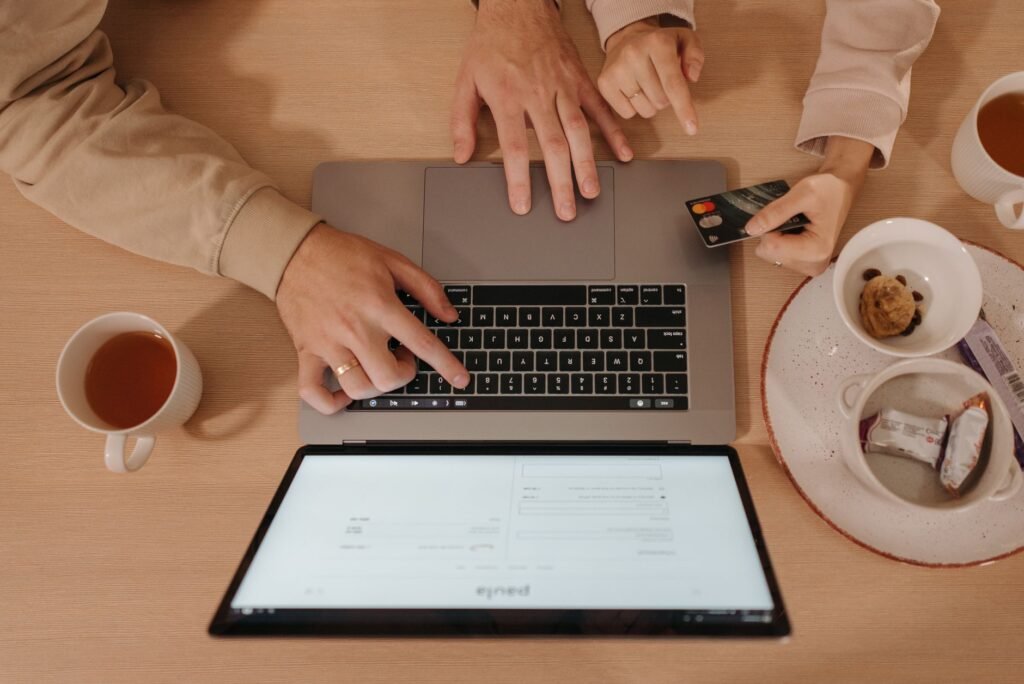
Understanding Online Security Measures
Importance of Secure Connections
When accessing your bank account online, ensuring a secure connection is paramount. A secure connection protects sensitive information such as your login credentials, personal identification numbers, and financial data from potential cyber threats. Always look for the HTTPS prefix in the website address, indicating that the site uses encryption to protect your data.
Additionally, avoid using public Wi-Fi networks for banking transactions. These networks can expose your information to hackers who may intercept your data. If you must use public Wi-Fi, consider using a Virtual Private Network (VPN) to enhance your security.
Two-Factor Authentication (2FA)
Two-factor authentication adds an extra layer of security when accessing your online bank account. With 2FA enabled, you will need to provide not only your password but also a second piece of information, such as a code sent to your mobile device, before gaining access. This significantly reduces the risk of unauthorized access.
To set up 2FA, log into your online banking account and navigate to the security settings. Follow the prompts to link your mobile phone number or download an authentication app. Remember, while 2FA is a valuable security measure, keeping your password strong and unique remains essential.
Recognizing Phishing Scams
Phishing scams are attempts by fraudsters to trick you into providing personal information by pretending to be a legitimate entity, such as your bank. These scams often come in the form of emails, text messages, or phone calls. It is vital to recognize the signs of phishing to protect your account.
- Look for generic greetings. Legitimate banks typically address you by your name.
- Check for spelling and grammatical errors, which are common in phishing attempts.
- Be cautious of urgent messages that pressure you to act quickly.
If you receive a suspicious message, do not click on any links or provide any information. Instead, contact your bank directly using verified contact information to confirm the legitimacy of the communication.
Utilizing Online Banking Features
Mobile Banking Apps
Most banks offer mobile banking apps that provide convenient access to your accounts. These apps allow you to check balances, transfer money, and pay bills directly from your smartphone. Downloading your bank’s official app can streamline your banking experience and enhance your ability to manage your finances on the go.
When using a mobile banking app, familiarize yourself with its features. Many apps include budgeting tools, transaction categorization, and spending alerts that can help you stay on top of your finances. Additionally, ensure that you keep the app updated to benefit from the latest security features and enhancements.
Setting Up Alerts and Notifications
Setting up alerts can help you monitor your account activity and stay informed about important transactions. Most banks allow you to customize notifications for various events, such as low balances, large transactions, or upcoming bills. By enabling these alerts, you can act quickly to prevent overdraft fees or unauthorized transactions.
- Low balance alerts
- Transaction notifications (deposits and withdrawals)
- Bill payment reminders
- Monthly statements
To set up alerts, log into your online banking account and navigate to the notifications section. Choose the alerts that are most relevant to your financial habits and goals.
Utilizing Budgeting Tools
Many online banks provide budgeting tools that can help you manage your finances effectively. These tools often categorize your spending, track your expenses, and set savings goals. Utilizing budgeting tools can give you better visibility into your financial habits and help you identify areas where you can cut costs.
To get started, explore your bank’s budgeting features and link your accounts where applicable. Many banks offer visual representations of your spending patterns, making it easier to understand where your money goes each month. Regularly review your budget to adjust for changes in income or expenses.
Understanding Fees and Charges
Types of Fees Associated with Bank Accounts
While many online banks strive to offer low or no-fee accounts, it is crucial to understand the types of fees that may apply. Common fees include monthly maintenance fees, overdraft fees, ATM fees, and foreign transaction fees. Awareness of these fees can help you avoid unnecessary charges and choose a bank that aligns with your financial needs.
- Monthly maintenance fees: charged for account upkeep, often waived if certain conditions are met.
- Overdraft fees: charged when you spend more than your account balance.
- ATM fees: incurred when using an ATM outside your bank’s network.
- Foreign transaction fees: charged for transactions made in a foreign currency.
Review your bank’s fee schedule carefully before opening an account to ensure that you understand how these fees may impact your finances.
Ways to Avoid Fees
There are several strategies you can implement to minimize or eliminate bank fees. These strategies often include maintaining a minimum balance, setting up direct deposit, or utilizing your bank’s online services instead of branch visits. By being proactive, you can ensure that your banking experience is as cost-effective as possible.
- Maintain a minimum balance to avoid monthly fees.
- Set up direct deposit for your paycheck.
- Use online banking services to limit branch-related fees.
- Shop around for banks that offer fee-free accounts.
Regularly review your account statements to monitor for any unexpected fees and challenge any discrepancies with your bank promptly.
When to Consider Switching Banks
If you find that your current bank’s fees are too high or that their services do not meet your changing needs, it may be time to consider switching banks. Look for banks that offer better terms, enhanced features, or lower fees that align with your financial goals. Additionally, consider the bank’s customer service reputation and accessibility when making your decision.
Before making a switch, take the time to research potential new banks and compare their offerings. Once you’ve made a decision, ensure that you follow the proper steps to close your existing account and open a new one to avoid any lapses in your banking services.
Be cautious of common issues that can arise when opening a bank account online.
- Missing crucial documents can delay your application.
- Overdraft fees can accumulate quickly if you are not careful.
- Phishing scams can lead to identity theft if you provide personal information.
- Insufficient research on fees may result in unexpected charges.
- Ignoring security measures can leave your account vulnerable.
Frequently Asked Questions
Can I open a bank account without a Social Security number?
While many banks require a Social Security number for identification, some banks may allow you to open an account using an Individual Taxpayer Identification Number (ITIN) or other forms of identification. It’s best to check with the specific bank for their requirements.
What is the minimum age to open a bank account online?
Generally, you need to be at least 18 years old to open a bank account independently. However, some banks offer custodial accounts for minors, which require a parent or guardian to co-sign.
How long does it take to open a bank account online?
The online application process can often be completed in less than 30 minutes, and many banks provide instant approval. However, it may take a few days for the account to be fully activated depending on the verification process.
Are online bank accounts insured?
Yes, most online banks are insured by the Federal Deposit Insurance Corporation (FDIC) or the National Credit Union Administration (NCUA). This means your deposits are protected up to the insured limit. You can learn more about deposit insurance from the FDIC.
The Bottom Line
Opening a bank account online is a convenient and efficient way to manage your finances. By understanding the process, choosing the right bank, and preparing the necessary documents, you can successfully set up your account. Remember to compare different accounts to find the best fit for your financial needs and actively manage your account to ensure you meet your financial goals.

Peter Igunnu
Peter Igunnu is the founder and editor of GuideToYourMoney. He holds a PhD in Banking and Finance, with research covering financial inclusion, green finance and AI in finance. He writes to make money decisions simpler for everyday readers.


